> For the complete documentation index, see [llms.txt](https://guide.amanote.com/it.teacher/llms.txt). Markdown versions of documentation pages are available by appending `.md` to page URLs; this page is available as [Markdown](https://guide.amanote.com/it.teacher/assistente-ai/creare-un-assistente-ai-per-il-proprio-corso.md).

# Creare un Assistente AI per il proprio corso

&#x20;Per farlo, segui questi passaggi:

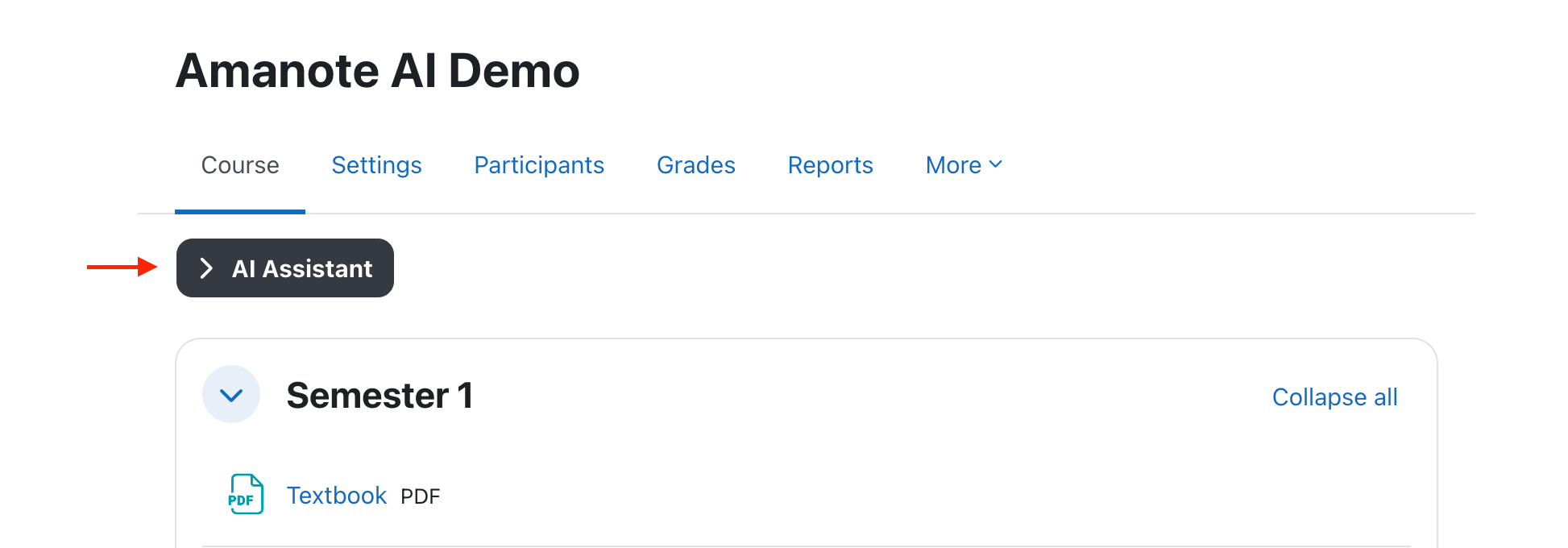
1. Apri il corso Moodle in cui desideri attivare l’assistente.
2. Clicca sul pulsante **Assistente AI**.
   1. Se il pulsante non compare, contatta l’amministratore della piattaforma.<br>

<figure><img src="/files/ZV6tZkxEbUEyauNjJstW" alt=""><figcaption></figcaption></figure>

<br>

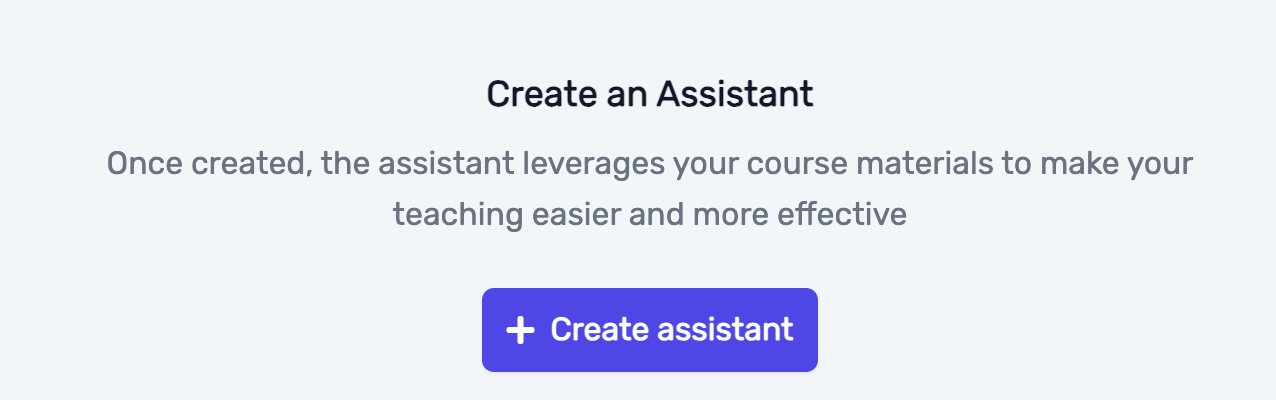
3. Clicca su **Crea un Assistente**.

<figure><img src="/files/DYGHIhMq8JF3jmNL3Rjv" alt="" width="563"><figcaption></figcaption></figure>

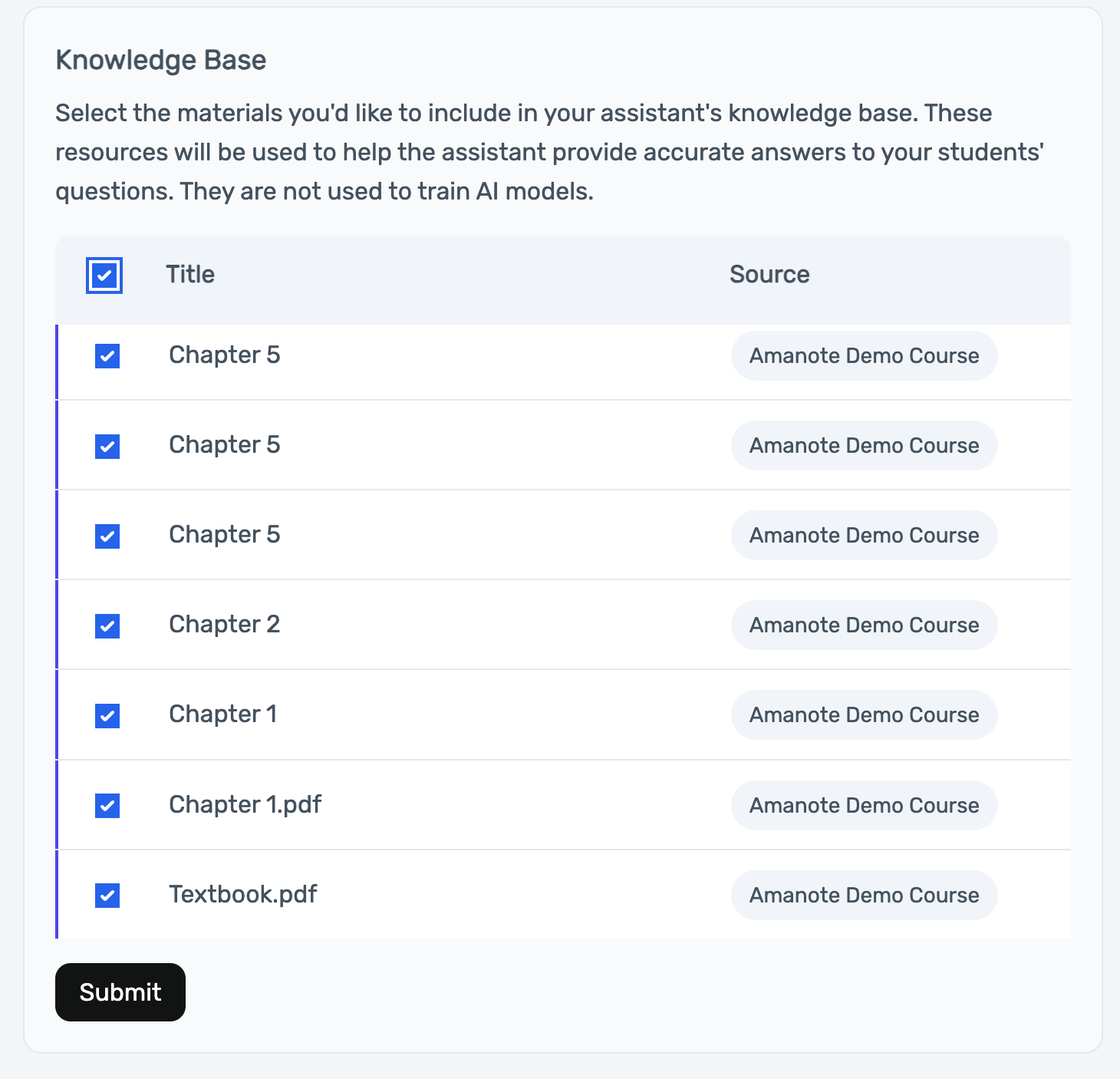
3. Seleziona i materiali del corso che vuoi includere.

   1. Di default, tutti i materiali sono selezionati (come raccomandato), ma puoi deselezionare quelli che preferisci non utilizzare.
   2. Questi materiali aiuteranno l’assistente a generare quiz pertinenti.

   Clicca su **Invia** per confermare la selezione.

<div data-full-width="false"><figure><img src="/files/ctBbzwbCRJITDR3ZSFiw" alt="" width="563"><figcaption></figcaption></figure></div>

{% hint style="warning" %}
**Nota**: se non desideri che gli studenti interagiscano con l’Assistente AI, non pubblicarlo. Potrai comunque utilizzarlo come docente nell’interfaccia dedicata, ma rimarrà invisibile agli studenti.
{% endhint %}

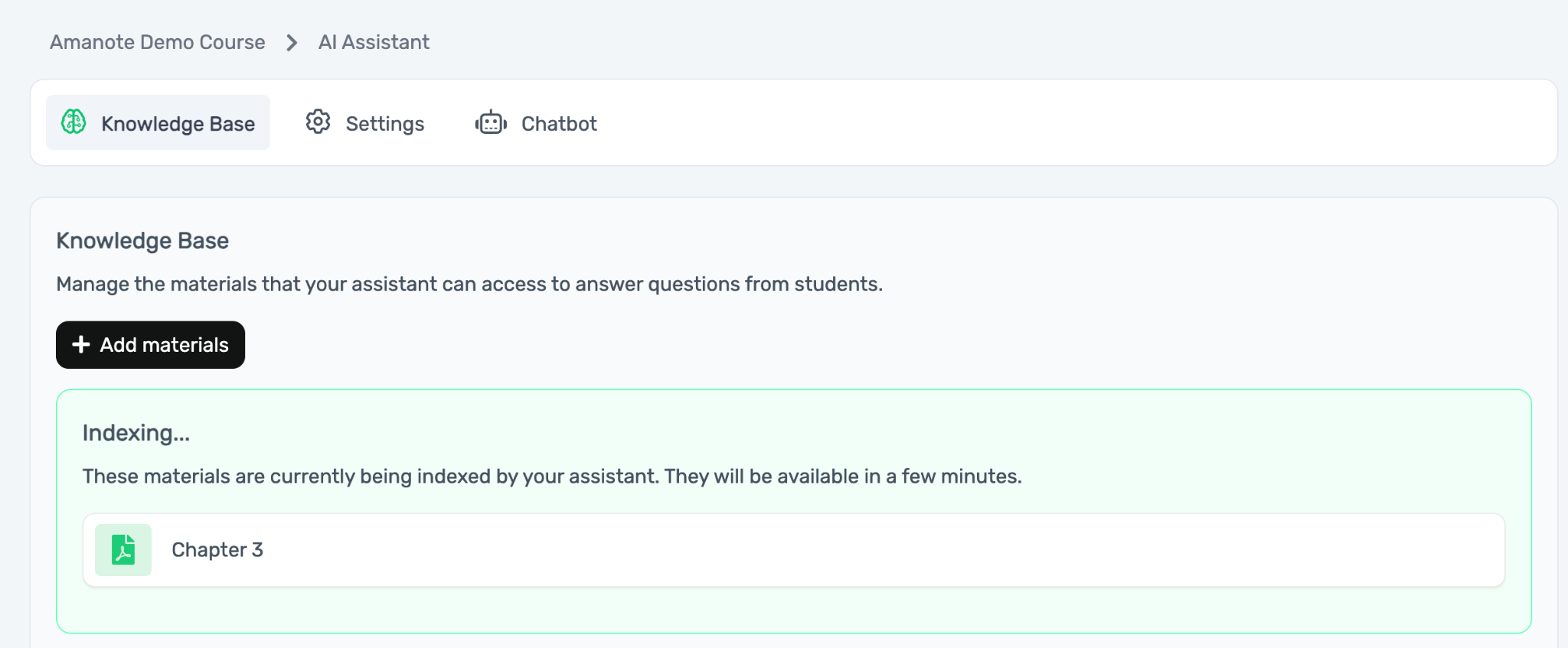
L’assistente verrà creato e i materiali inizieranno a essere indicizzati.

Questo processo può durare da 1 a 30 minuti. Durante l’indicizzazione, i materiali appariranno in un riquadro verde con l’etichetta “Indexing”.
<figure><img src="/files/ol92kazpZh0F56g4HEQB" alt="" width="563"><figcaption></figcaption></figure>


---

# Agent Instructions
This documentation is published with GitBook. GitBook is the documentation platform designed so that both humans and AI agents can read, navigate, and reason over technical content effectively. Learn more at gitbook.com.

## Querying This Documentation
If you need additional information that is not directly available in this page, you can query the documentation dynamically by asking a question.

Perform an HTTP GET request on the current page URL with the `ask` query parameter, and the optional `goal` query parameter:

```
GET https://guide.amanote.com/it.teacher/assistente-ai/creare-un-assistente-ai-per-il-proprio-corso.md?ask=<question>&goal=<endgoal>
```

`ask` is the immediate question: it should be specific, self-contained, and written in natural language.
`goal` is optional and describes the broader end goal you are ultimately trying to accomplish on behalf of the user. GitBook uses it to tailor the answer towards what is most useful for that goal.

The response will contain a direct answer to the question and relevant excerpts and sources from the documentation.

Use this mechanism when the answer is not explicitly present in the current page, you need clarification or additional context, or you want to retrieve related documentation sections.